# Authentication
Help us improve this article
This article is part of a significant update to the Bubble manual and your feedback is critical to our efforts to continuously enhance our written documentation.\
\
We would greatly appreciate if you could take a moment to let us know your thoughts on the quality of it. Thank you for your support!\
\
[Give feedback on this article](https://docs.google.com/forms/d/e/1FAIpQLSfe7eaYVxkqTa_nn3QE6VObCxWB1hgh6sHUQGQ0Eit8JlAS7g/viewform?usp=pp_url\&entry.619913899=https://manual.bubble.io/help-guides/apis-connect-to-other-apps/the-bubble-api/authentication\&entry.80834677=Bubble+API+Authentication)
{% hint style="info" %}
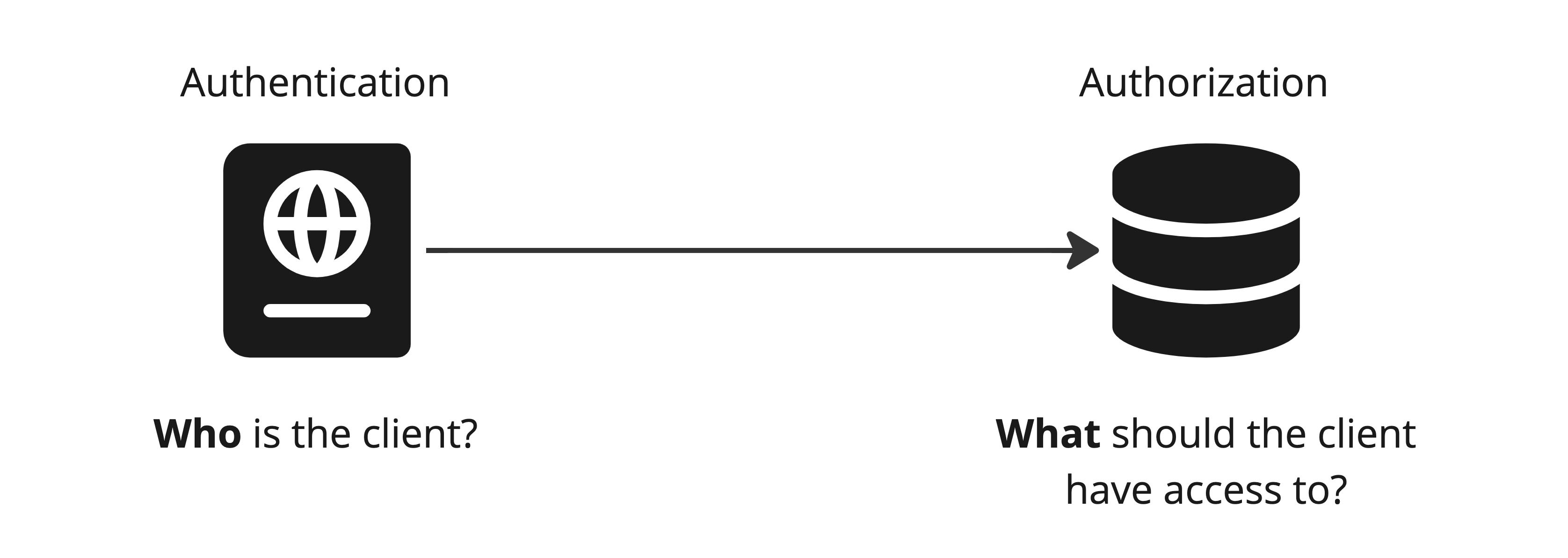
**Authentication** is the process of identifying **who** a client[^1] is in order to determine what resources[^2] they have access to your your application.
{% endhint %}
## Introduction
Both the [Data API](#user-content-fn-3)[^3] and the [Workflow API](#user-content-fn-4)[^4] can be set up to require the client to authenticate themselves in order for your app to determine what resources they are allowed to access. In simpler words, you can require all external systems that want to access your database and workflows to log in using a secret password.
The article in the link below explains how the [*bearer token*](#user-content-fn-5)[^5] is used to authenticate a client, regardless of the method you choose (except if you use no authentication).
{% content-ref url="authentication/how-to-authenticate" %}
[how-to-authenticate](https://manual.bubble.io/~/changes/zEDMkjAAhZbZaeeyXW5d/help-guides/integrations/api/the-bubble-api/authentication/how-to-authenticate)
{% endcontent-ref %}
## Authentication methods
There are three different levels of authentication that you can set up in Bubble, each with their own pros/cons and security ramifications.
The articles below outline the three different authentication methods you can use:
{% content-ref url="authentication/no-authentication" %}
[no-authentication](https://manual.bubble.io/~/changes/zEDMkjAAhZbZaeeyXW5d/help-guides/integrations/api/the-bubble-api/authentication/no-authentication)
{% endcontent-ref %}
{% content-ref url="authentication/as-a-user" %}
[as-a-user](https://manual.bubble.io/~/changes/zEDMkjAAhZbZaeeyXW5d/help-guides/integrations/api/the-bubble-api/authentication/as-a-user)
{% endcontent-ref %}
{% content-ref url="authentication/as-an-admin" %}
[as-an-admin](https://manual.bubble.io/~/changes/zEDMkjAAhZbZaeeyXW5d/help-guides/integrations/api/the-bubble-api/authentication/as-an-admin)
{% endcontent-ref %}
[^1]: The *client* is the system that initiates an API Connection by sending a request, as opposed to the *server* who is the one to receive it and respond.
[^2]: An API resource is a specific item or service that is made available by the API and can be accessed via a unique endpoint.\
\
This can be a data type such as *Users* or a specific API Workflow.\
\
Article section: [What are resources?](https://manual.bubble.io/~/changes/zEDMkjAAhZbZaeeyXW5d/help-guides/integrations/introduction-to-apis#resource)
[^3]: The Data API can give external applications access to your app's database to read, create, edit and delete records.\
\
Article: [The Data API](https://manual.bubble.io/~/changes/zEDMkjAAhZbZaeeyXW5d/help-guides/integrations/api/the-bubble-api/the-data-api)\
Reference: [The Data API](https://manual.bubble.io/~/changes/zEDMkjAAhZbZaeeyXW5d/core-resources/api/the-bubble-api/the-data-api)
[^4]: The Workflow API lets you set up API workflows that can be triggered from outside of your own application without visiting any page.\
\
Article: [The Workflow API](https://manual.bubble.io/~/changes/zEDMkjAAhZbZaeeyXW5d/help-guides/integrations/api/the-bubble-api/the-workflow-api)\
Reference: [The Workflow API](https://manual.bubble.io/~/changes/zEDMkjAAhZbZaeeyXW5d/core-resources/api/the-bubble-api/the-workflow-api)
[^5]: The bearer token is a string that identifies **who** the client is. It serves as both username and password and is included in the *header* of the API request.\
\
Article: [How to authenticate](https://manual.bubble.io/~/changes/zEDMkjAAhZbZaeeyXW5d/help-guides/integrations/api/the-bubble-api/authentication/how-to-authenticate)